
Automatically raise or lower the music towards a chosen target.
 iLA Native FX · Windows · VST3
iLA Music Level
Spend less time chasing the music volume.
Two backing tracks at the same fader position can sound very different in volume. iLA Music Level gradually moves the music towards your chosen listening level, helping track changes feel less distracting during a live session.
Made for Karaoke playlists, background music and mixed music sources.
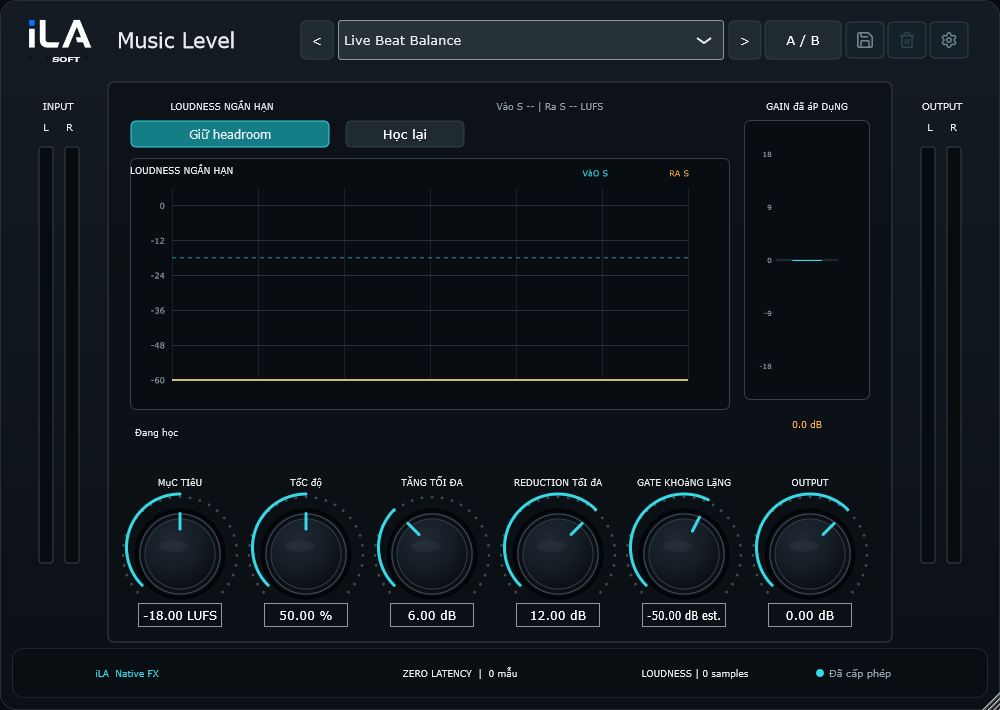
The actual interfaceOpen full image ↗
Make it sound like you
What you can do
Set limits on how far the level can change.
Detect quiet passages to help avoid bringing up background noise.
Start simple
Make a small change. Listen. Find your balance.
Open the plugin in idolLiveAudio or a compatible VST3 host. Use your own voice and the music you plan to play to hear the difference.
- Choose a target using a familiar track.
- Switch between louder and quieter songs and adjust the response speed.
- Set the adjustment limits and check the result alongside the vocal.
Find the main controls
Control labels may appear in English or Vietnamese, depending on the plugin language you choose.
Target Speed Max Gain Max Reduction Silence Gate
iLA Nexus
Bring your sound to the next session.
Sign in to iLA Nexus to check your licenses, install plugins and keep them up to date in one place.